Search
Getting Started Invoice sending Invoice sending Consumer Invoicing Printing Email Invoicing Invoice Receiving Invoice Receiving Scanning Detect Fraud reporting Integration tools Webhooks Reference implementations Maventa Connector Embeddable User Interface Peppol Peppol Network Document Exchange Invoice Response Self-billing support Invoicing formats Invoicing formats Validation Peppol BIS 3.0 Preview Maventa JSON (table) Preview Maventa JSON (json schema) Account Management Companies and Settings Users Billing

Fraud reporting

To help prevent invoice fraud, Maventa provides functionality for reporting received invoices that are suspected to be fraudulent. Integrators can incorporate this reporting capability into their systems, allowing end users to submit fraud reports easily as part of their normal invoice-handling workflow.

The purpose of this user generated (crowd sourced) fraud warning service is to collect early signals of potentially fraudulent senders. If multiple receivers report the same company, the sender may be added to a warning list. When an invoice is received from a sender on this list, the receiving company can be notified, for example via the Detect service.

It is important to note that this reporting functionality cannot be used to dispute the invoice or refuse payment of it. Report is not automatically forwarded to the invoice sender or the authorities.

By including a “Report fraud” button in your integration, you give users an easy way to participate in fraud prevention by reporting suspicious invoices. See here for implementation details.

Reporting in short

Send a report - example flow

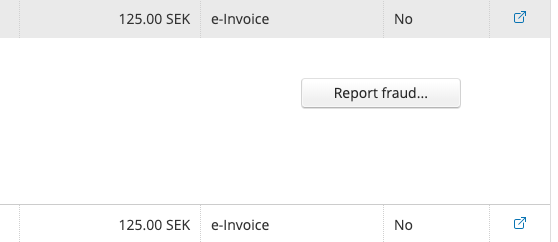
Add a button or alternative action in your system that enables users to report a received invoice as suspected fraud.
Report button

Report button

Close

Step 1/3

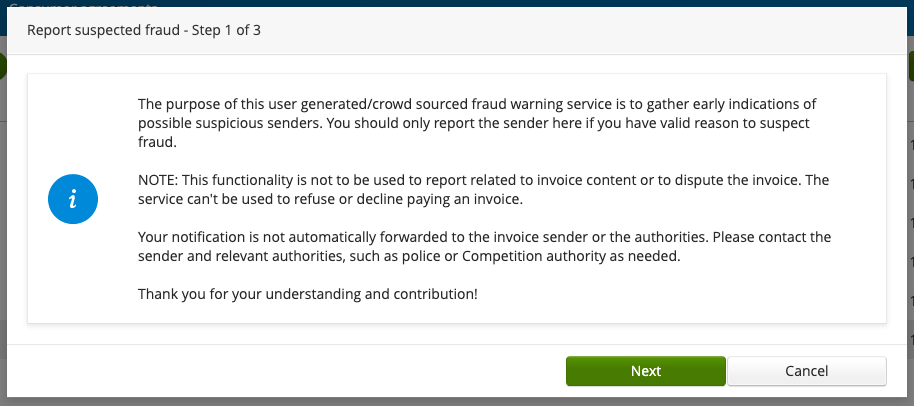
The user is presented with a text explaining the feature and its purpose.

Display this informational text to users by using GET/v1​/invoices​/reports​/definitions to get the text and translations. Available languages: EN, FI, SE, NO, DK, NL.
Fraud report information text

Fraud report information text

Close

Step 2/3

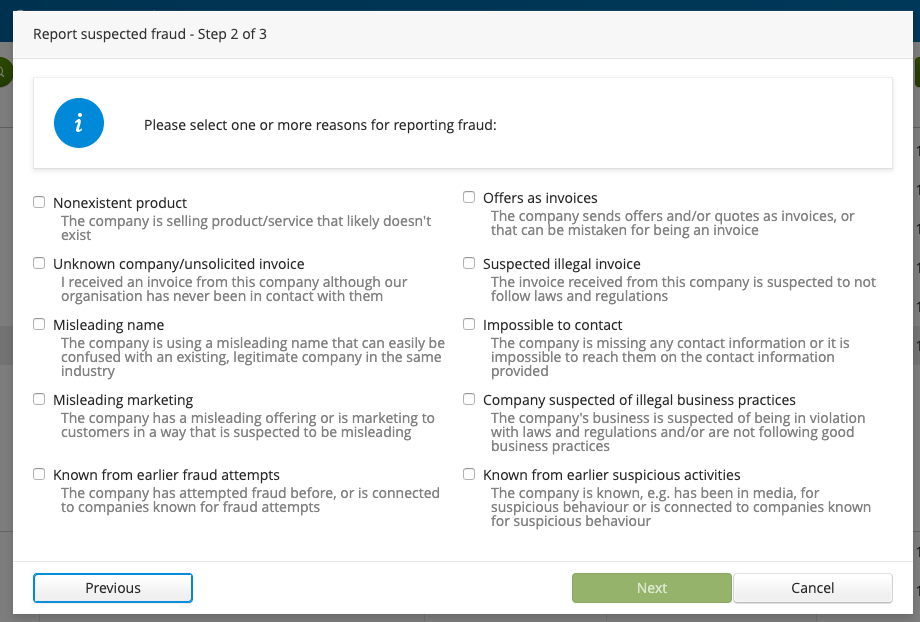
The user is prompted to select one or more reasons for their report from predefined categories. At least one reason must be selected.

Get the reporting categories and descriptions to display to the user using GET/v1​/invoices​/reports​/definitions. Texts are available in EN, FI, SE, NO, DK, NL.
Fraud report categories

Fraud report categories

Close

Step 3/3

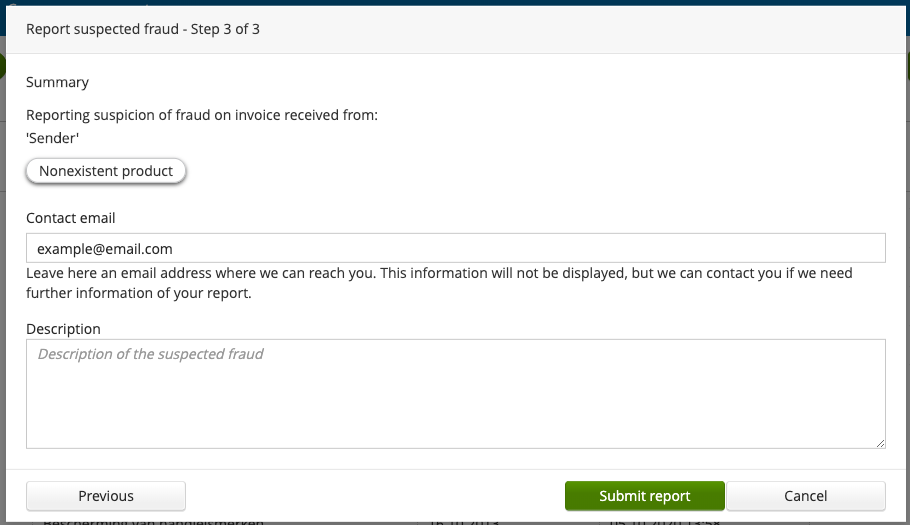
The user is shown a summary of the report and prompted to provide a contact email, as well as an optional description of the case they are reporting.

Submit the report using POST/v1​/invoices​/{id}​/reports. Currently, only one report per invoice is allowed.

Parameters:

Fraud report summary

Fraud report summary

Close

You can choose whether the reporting process is completed step by step or all at once, depending on what works best for your system. In either case, the following requirements should be fullfilled:

  • The user must see the informational text to understand the feature.
  • At least one reason category must be selected; this ensures sufficient case information and helps reduce reports based on invalid reasons.
  • A contact email is required; it is not displayed elsewhere but may be used for follow-up if needed.

Other actions - view status & delete report

View Report Status

Get information and the status of a report for a specific invoice. For example, to show the user whether the invoice has already been reported, or to obtain the user report ID needed to delete a report.

Use GET/v1​/invoices​/{id}​/reports to fetch reporting information for an invoice.

Delete existing report

Allow the user to delete a report they previously submitted, for example if they no longer suspect fraud or need to make changes.

Use DELETE/v1​/invoices​/{id}​/reports​/{report_id} to remove an existing report.

Back to top

AI Chat Support 24/7

  • Get help via AI chat available 24/7 whenever it suits you
  • Chat extensively uses Maventa support pages, websites, and blogs in its answers
  • If you need assistance that the AI cannot provide, you can also ask a customer service agent to join the conversation
  • Support requests processed Monday to Friday
Cancel Open chat

Got feedback?

Did you not find what you were looking for? Or was something explained unclearly? Or just want to share your thoughts? We are happy to hear your feedback!

Note: This form is not a way to get support, this is only for feedback for the documentation website. If you need support, please contact Maventa support.

Integration Guide Services & Reach API Specification Changelogs Integration guide Getting Started Invoice sending Consumer Invoicing Printing Email Invoicing Invoice Receiving Scanning Detect Fraud reporting Webhooks Reference implementations Maventa Connector Embeddable User Interface Peppol Network Document Exchange Invoice Response Self-billing support Invoicing formats Validation Peppol BIS 3.0 Maventa JSON (table) Maventa JSON (json schema) Companies and Settings Users Billing Services and reach Maventa services and reach e-invoicing in Belgium e-invoicing in Denmark e-invoicing in Estonia e-invoicing in Finland Mass Printing Service Amili Kassavirta Amili Perintä Ropo Perintä e-invoicing in Germany e-invoicing in Italy e-invoicing in the Netherlands e-invoicing in Norway e-invoicing in Poland e-invoicing in Sweden Api specification API overview Getting Started Common & authentication API Invoices API Documents API Companies & settings API Lookups API Detect API Validator API Receivables API Billing API Scanning API B2CFI API B2CNO API B2CSE API Partner API Getting Started API Methods Overview Account Configuration API Methods Invoice Sending API Methods Invoice Receiving API Methods B2C Norway API Methods B2C Finland API Methods Other API Methods Changelogs Product changelog Developer Changelog
Clear Send

Enter your credentials to Maventa testing environment, to authenticate and try things out with the Swagger UI. This will fetch a Bearer token using OAuth2 with the endpoint POST https://ax-stage.maventa.com/oauth2/token. The token is stored in your browser's session storage (cleared when you close the tab) and used in Swagger calls done from this documentation website. The token is valid for 1 hour.

Never use your production credentials here. This is only for testing the Maventa test environment in the Swagger UI.
All None
eui global company lookup document:receive document:send invoice:receive invoice:send company:read company:write validate receivables:assignments analysis billing:reports partner:invoice_delivery_actions partner:lookups partner:takeovers partner:lyanthe_scan_service fi_bank_message:send fi_bank_message:receive
Cancel Sign In